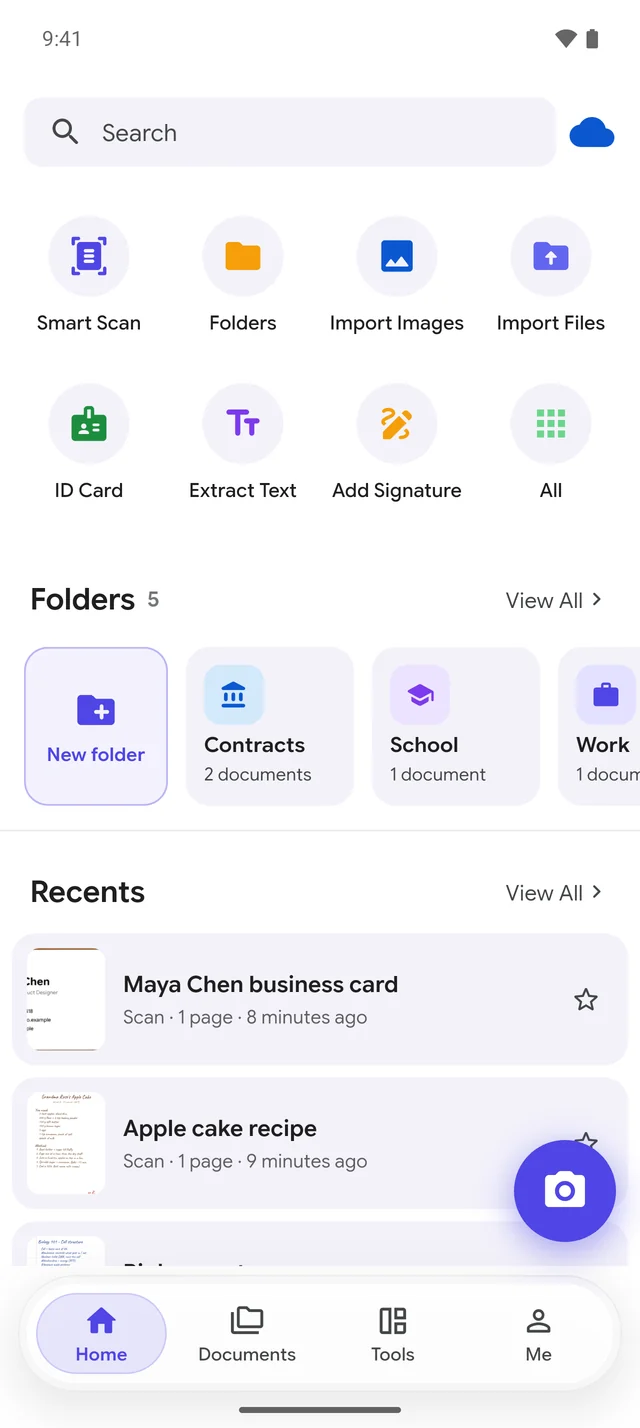
Document scanner for Android

Master every page.

DocSensei turns your phone into a pocket scanner. Snap any document and get a crisp PDF in seconds, then sign it, search its text and keep it organized.

  • Free to download
  • Processed on your phone
  • No sign-up needed

Everything paper, handled.

From the first snap to the signed, searchable PDF, DocSensei does the fiddly parts for you.

Smart scanning

Point, shoot, done.

DocSensei finds the page edges, straightens the perspective and crops it cleanly, so a quick photo comes out looking like it went through a flatbed scanner.

  • Automatic edge detection and perspective correction
  • Auto capture when the page is steady
  • Batch mode for multi-page documents
  • ID card mode puts front and back on one page
  • Whiteboard mode, flash, grid and timer
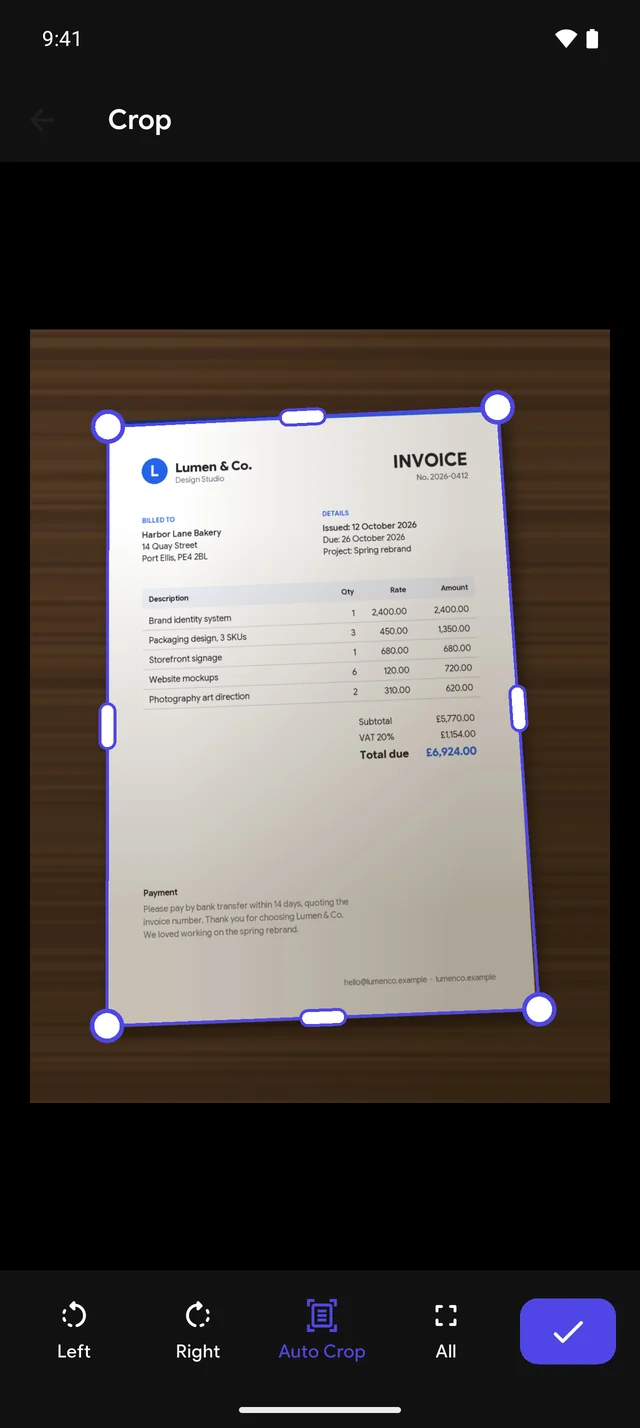
DocSensei crop screen with the invoice's edges detected automatically
12 smart filters

From dull photo to crisp page.

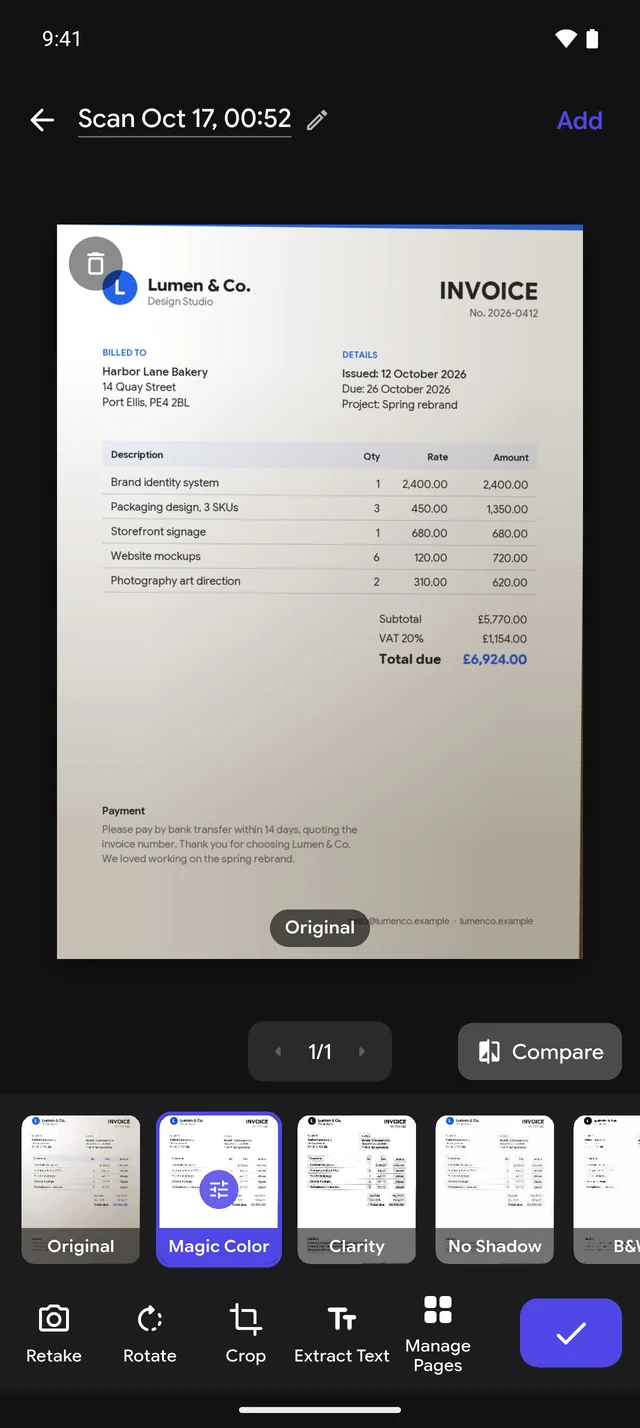
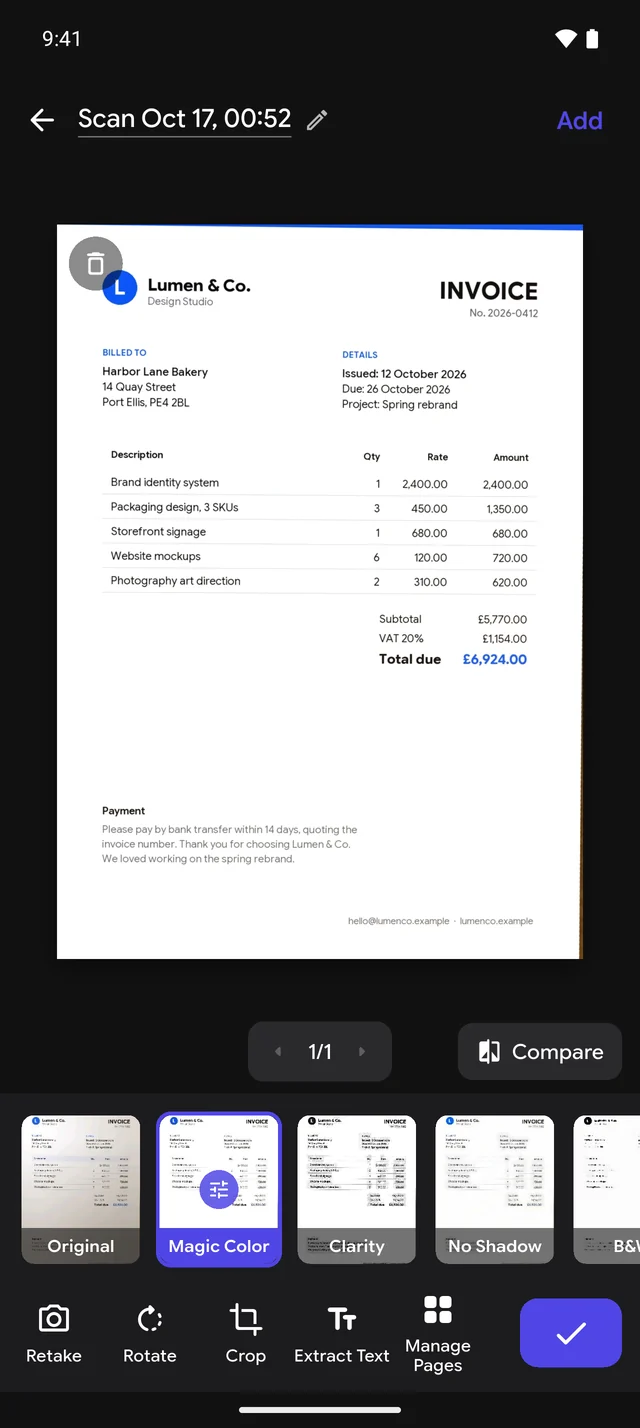
Shadows, yellow room light and grey paper are gone in one tap. Drag the slider to see the difference Magic Color makes on a real scan.

  • Magic Color, No Shadow, Whiteboard, B&W and Grayscale
  • Premium filters: Clarity, Brighten, Ink Boost, Receipt, Vivid and Ink Saver
  • Fine-tune contrast, brightness and detail
  • Apply a filter to every page at once
Invoice photo before the filter The same invoice after Magic Color Before After
PDF Studio

Sign, fill and edit without printing.

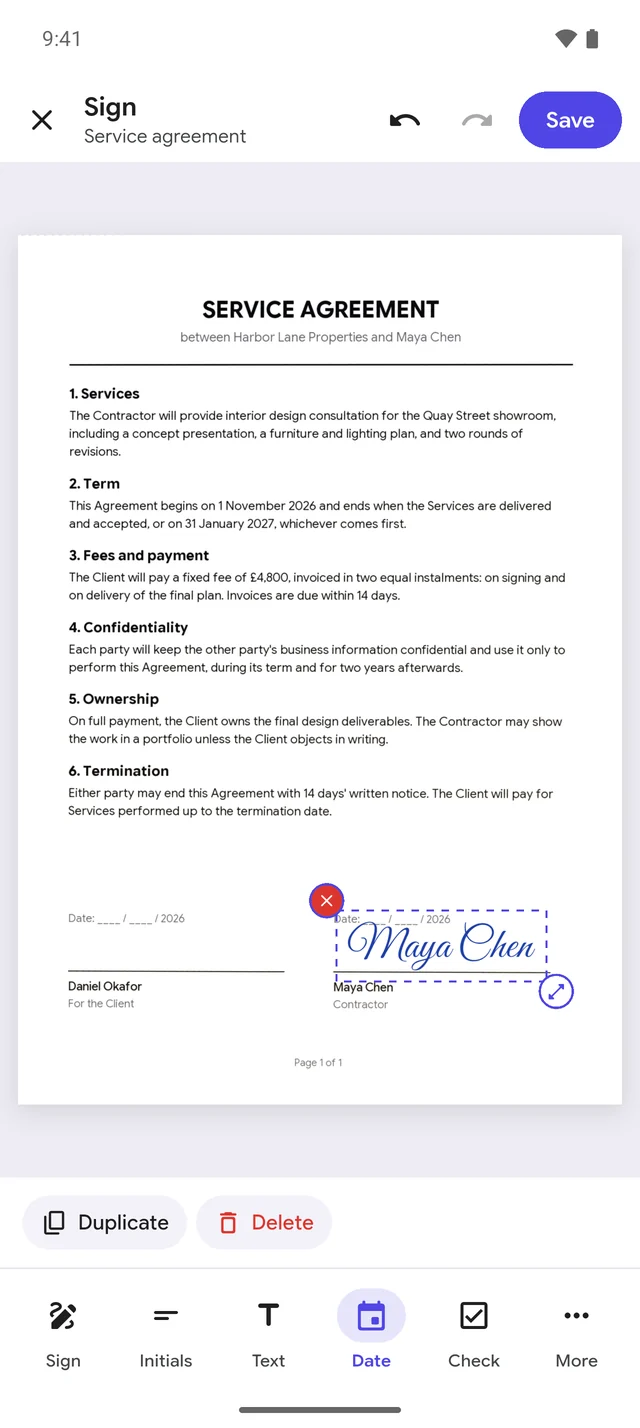
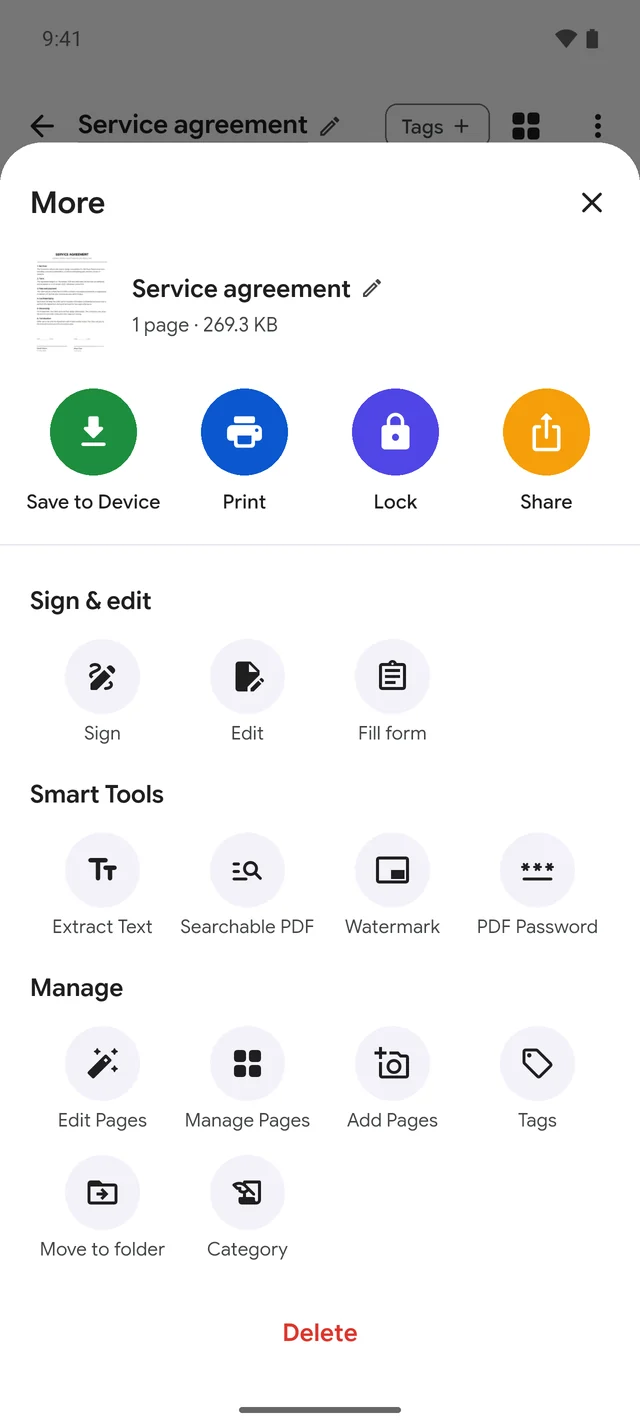
Add your signature to a contract, fill in a form field by field, or fix a typo right on the page. Then share it straight from your phone.

  • Draw, type or photograph your signature
  • Initials, dates, text, checkmarks and stamps
  • Fill PDF forms, then lock the answers or keep them editable
  • Highlight, draw, add images or white out mistakes
Signing a service agreement in DocSensei's PDF Studio
Text recognition

Every page becomes searchable.

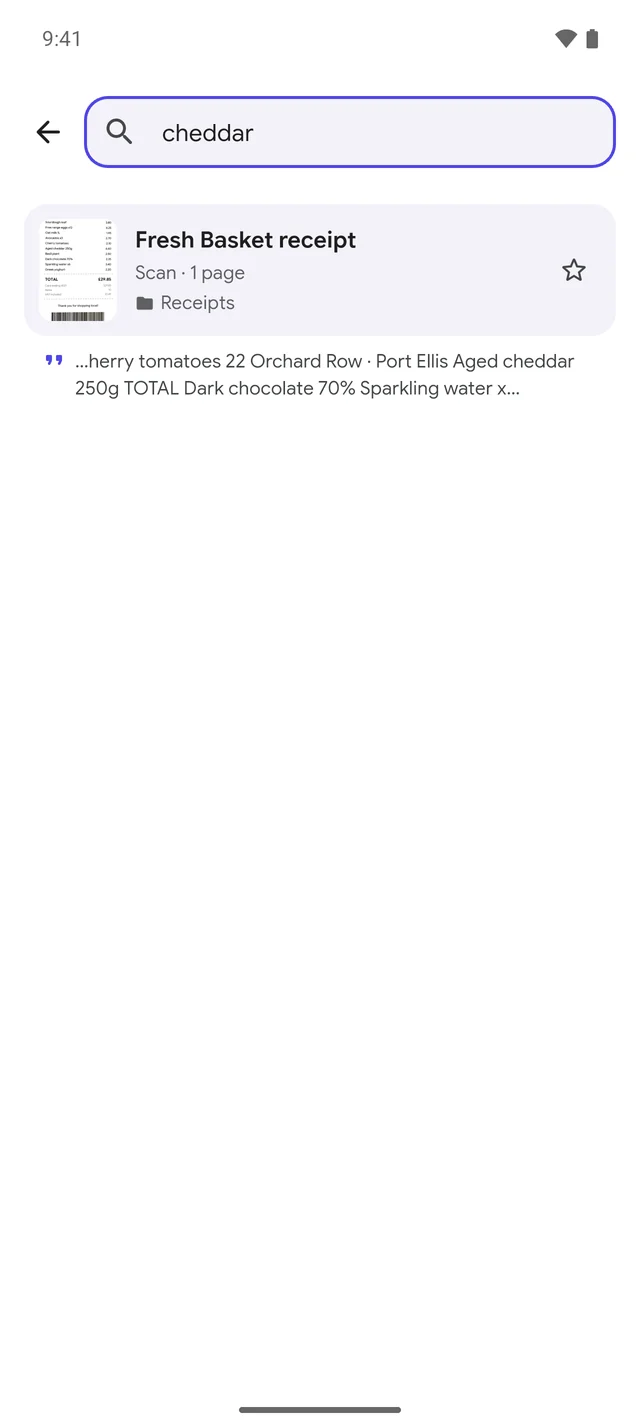
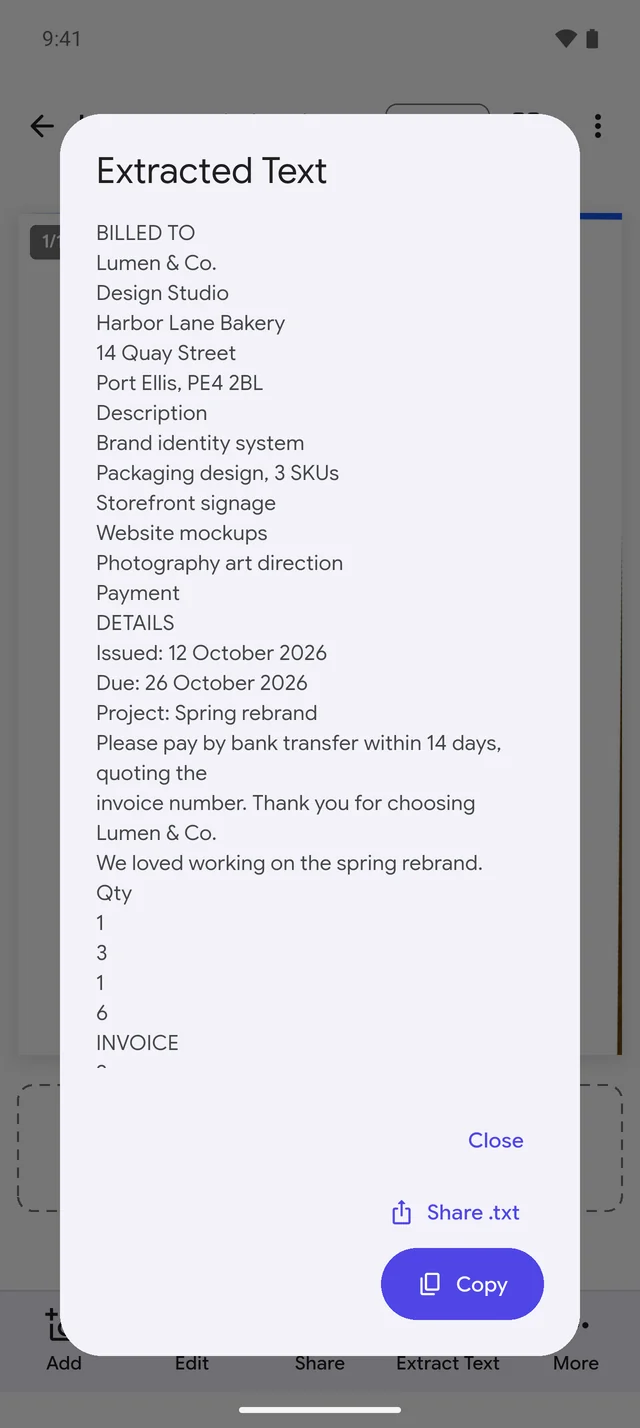
DocSensei reads the text in your scans right on your phone. Copy it, share it, export a searchable PDF, or find a receipt months later by a single word on it.

  • Extract text from any page and copy or share it
  • Search inside all your documents
  • Searchable PDFs with an invisible text layer
  • Reads Japanese as well as English, German, French, Spanish and other Latin-script languages
Searching for the word cheddar finds the matching receipt
Organized automatically

A place for every paper.

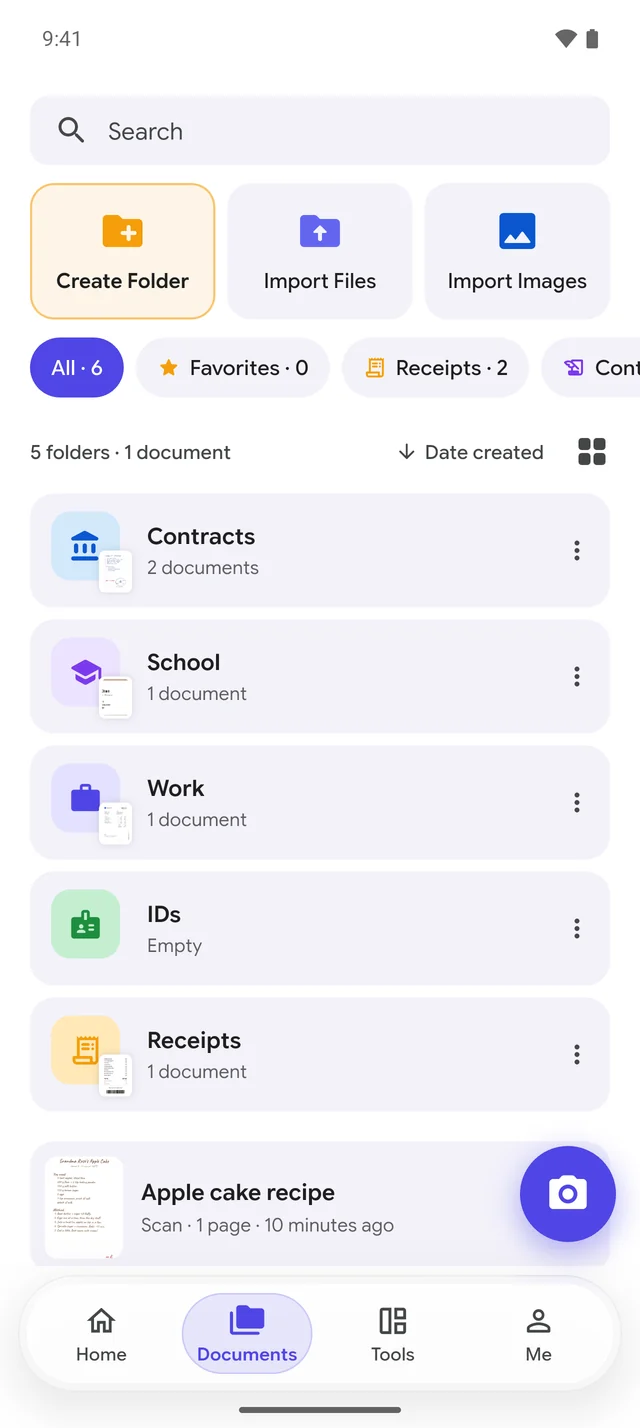
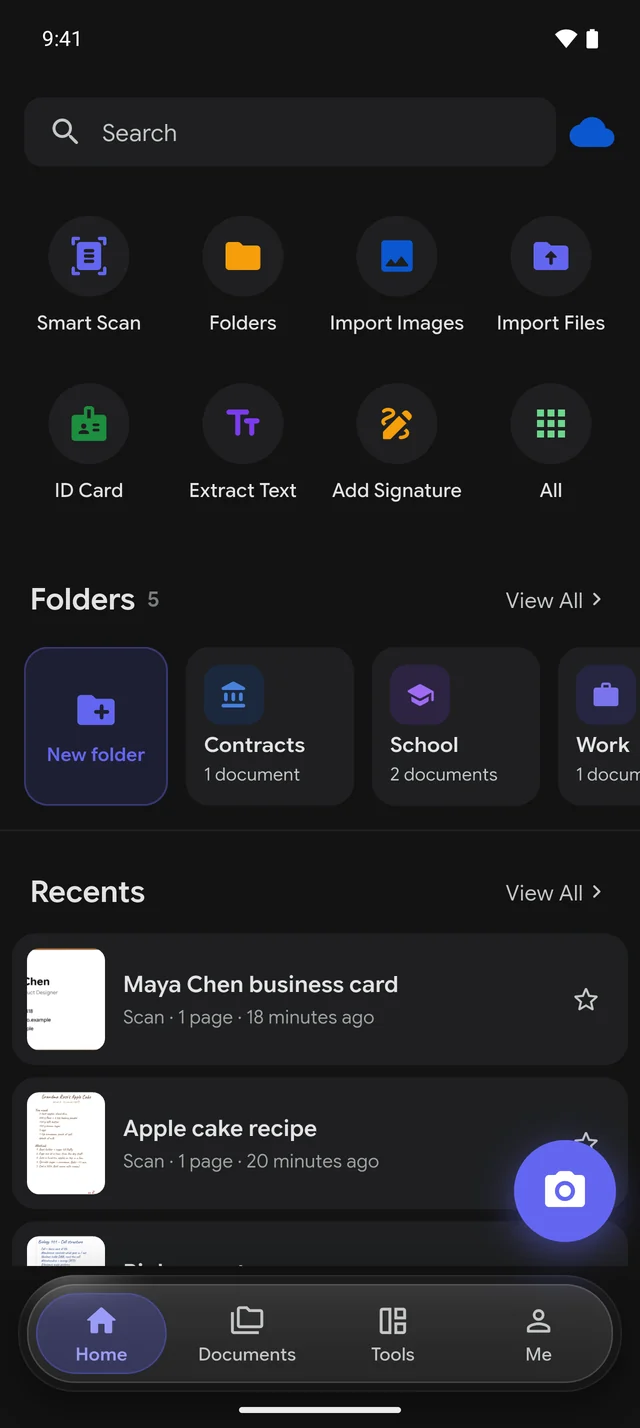
Scans are sorted into receipts, invoices, IDs, contracts, business cards, statements, letters and notes as you save them. Add your own folders on top.

  • Folders and subfolders, with colors and icons
  • Lock private folders with your fingerprint or screen lock
  • Tags, favorites and notes on any document
  • Light and dark themes
DocSensei documents screen with folders and smart categories

Three taps to a perfect PDF.

  1. Snap

    Point your camera at the page. DocSensei finds the edges and captures it when it's steady.

  2. Perfect

    Pick a filter, crop or rotate if you like, and add more pages to the same document.

  3. Share

    Save as PDF, images or text, sign it, protect it with a password, or send it anywhere.

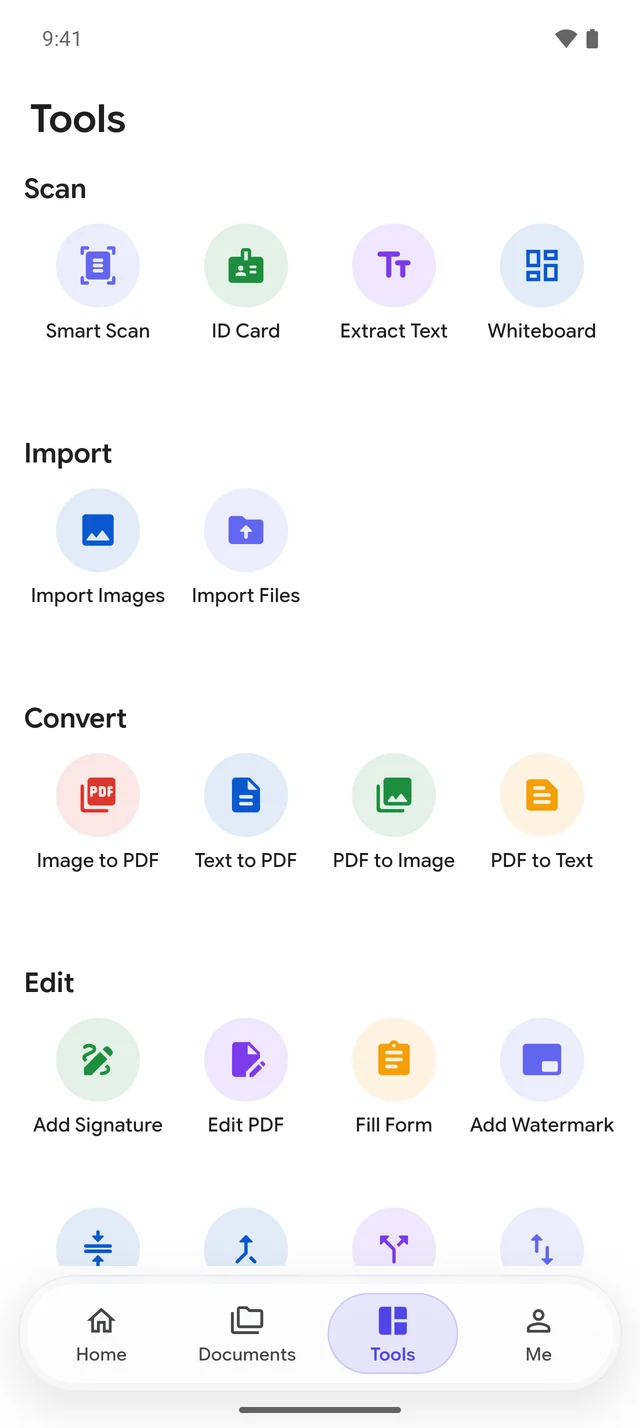
20+ PDF tools in your pocket.

The things you'd normally need a computer for, in one app.

  • Smart Scan
  • ID Card
  • Extract Text
  • Whiteboard
  • Image to PDF
  • Text to PDF
  • PDF to Image
  • PDF to Text
  • Add Signature
  • Edit PDF
  • Fill Form
  • Add Watermark
  • Compress PDF
  • Merge PDF
  • Split PDF
  • Reorder Pages
  • Delete Pages
  • Add Password
  • Print
  • Searchable PDF

Real screens from DocSensei. Swipe to see more.

Your documents stay yours.

Scanning, filters, text recognition and sorting all happen on your phone. Your documents only leave it if you choose to.

Processed on your phone

Edge detection, filters, text recognition and categories run on the device. No upload needed to scan.

Locks that mean it

Lock the whole app or individual folders and documents with your fingerprint, face or screen lock.

Backup is your call

Cloud backup is for signed-in Premium users, and you can switch it off any time. Delete your account and backups from the app.

Read the privacy policy

Free to start. Premium when you need more.

Scan, sign and convert for free. Upgrade for the advanced features and an ad-free app.

Free

Everything you need to get going

  • Scan with auto edge detection and batch mode
  • 6 smart filters, including Magic Color
  • Sign and fill PDFs
  • PDF tools: merge, split, compress, convert, protect
  • Extract text from the current page
  • Folders and smart categories
  • Ad-supported; exports carry a small DocSensei line
Premium

Premium

For people who live in their documents

  • No ads, and no DocSensei line on exports
  • All 12 filters, including Ink Boost and Receipt
  • Search inside every document
  • Searchable PDFs and text from every page
  • Lock folders, and filter by smart category
  • Edit existing text and add stamps in PDF Studio
  • Unlimited documents and 2 GB of cloud backup
  • Your backed-up documents on any computer, at docsensei.innovarestudio.com/app

Subscriptions are billed through Google Play, renew automatically, and can be cancelled any time in Google Play. Prices and any free trial are shown in the app before you pay.

Questions, answered.

Is DocSensei free?

Yes. You can download DocSensei and scan, filter, sign, fill and convert documents for free. The free version shows ads and has a limit on how many documents you keep, which you can raise by watching a short ad. Premium removes ads and limits and adds advanced features.

Do I need an account?

No. You can use DocSensei without signing up. An account is only needed for cloud backup.

Does it work offline?

Yes. Scanning, filters, text recognition and the PDF tools all work without an internet connection. You only need a connection for cloud backup, purchases and ads.

Which languages can it read?

Text recognition reads Japanese (kanji, hiragana and katakana) and Latin-script languages such as English, German, French, Spanish, Italian and Portuguese, including pages that mix the two. Japanese uses a model that Google Play services downloads once, normally when you install the app. The app itself is available in English, German and Japanese.

Where are my files saved?

Your documents are stored inside the app on your phone. When you choose Save to Device, PDFs go to Downloads/DocSensei and images to a DocSensei album in your gallery.

How do I cancel Premium?

Open Google Play, tap your profile picture, then Payments & subscriptions → Subscriptions → DocSensei → Cancel. You keep Premium until the end of the period you've paid for. More help

How do I delete my account?

In the app, go to Me → Privacy & Security → Delete account. This deletes your account and your cloud backups. You can also request deletion on the web.

Which phones does it support?

Any Android phone or tablet running Android 7.0 or later, with a camera for scanning. You can also import photos and PDFs you already have.

Become the master of your paperwork.

Download DocSensei for free and turn your next stack of paper into tidy, searchable PDFs.